• HOME
  • WHAT WE DO
    • Flat Rate Managed IT Services and Support
    • Cloud Solutions
    • Technology Consulting
    • Hardware and Software
    • Phone Systems
  • ABOUT
    • Why Singlesource IT?
    • News
    • Technology Partners
  • CONTACT US
  • Search

Mobile Menu

Call us today!

(614) 784-9738

  • Menu
  • Skip to right header navigation
  • Skip to main content
  • Skip to primary sidebar
  • Skip to footer

Before Header

Call us today:  (614)784-9738

Client Login

Free Risk Report

Protected Documents

Download Your Cyber Security Guide

Singlesource IT

Your Central Ohio IT Provider. Specializing in small and mid-sized business.

  • HOME
  • WHAT WE DO
    • Flat Rate Managed IT Services and Support
    • Cloud Solutions
    • Technology Consulting
    • Hardware and Software
    • Phone Systems
  • ABOUT
    • Why Singlesource IT?
    • News
    • Technology Partners
  • CONTACT US
  • Search

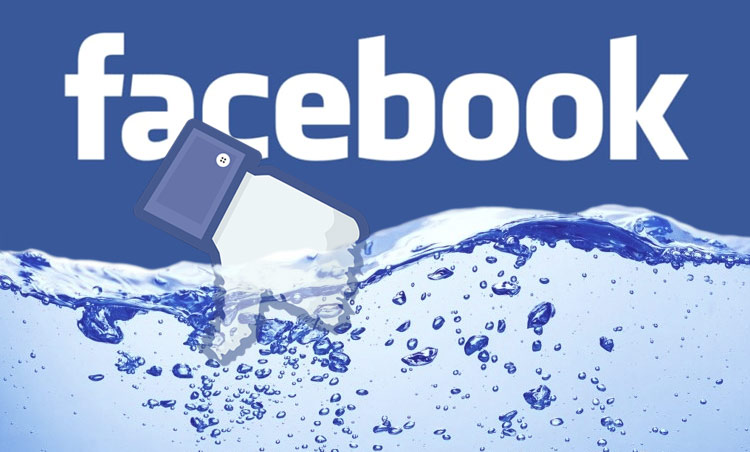
Big Leak: 533 Million Facebook Users Exposed!

Business Insider has just reported that the personal information of over 533 million Facebook users has been posted to a “low-level” hacking forum. Could that include you? Facebook claims to have about 2.7 billion users, so if you’ve signed up, there’s about a one-in-five chance that your details are out on the web. Not good odds for something as important as your confidential data.

What to do? First of all, there’s a free tool available that runs your email address against known hacks – including this one – at the website Have I Been Pwned? Give it a try. It might surprise you!

If you do find that your email address was scooped up by hackers, all hope is not lost. The bad guys need your password and other login details too – which they may or may not have. However, if you do find your email address has been reported, it’s a good time to change your password to something secure on any e-commerce or social media accounts that use it.

It’s also a good idea to turn on Two-Factor Authentication where available. This creates an extra step to logging in, like sending a code to your phone or another email address. You can then use this code to verify your identity.

Another tip: Don’t give out information if you don’t need to! The latest Facebook hack includes phone numbers, full names, locations, birthdates, and bios too. All of this can be used to build a snapshot of a user, a profile which can then be leveraged to commit further fraud.

There’s nothing wrong with NOT sharing all of your information when it’s not required. Feel free to leave those fields blank when signing up for a new service. Big Tech can’t lose data it doesn’t know, and sometimes the less Big Tech knows about you, the better.

If you have concerns about hacked accounts or fraudulent attempts to access your information, let us know. Our team is here to vet and assist with all of your tech questions. Keeping your crucial data secure should be your number one priority – and it’s ours too.


We’re here to help!

Get in touch today to find out why Singlesource IT should be your partner in IT.

You May Also Be Interested In:

teacher-video-calling-with-his-students-using-a-computer

Who Can See What Your AI Note-Taker Records?

closeup of mail app icon on phone

How to Stop Scammers from Sending Emails in Your Company’s Name

Free High-resolution close-up of a smartphone displaying a QR code on its screen. Stock Photo

QR Code Scams: What They Are and How to Protect Your Business

MacBook Pro turned-on

How Small Business Ransomware Attacks Work (And How to Protect Against Them)

Free Close-up of a businessman holding and reviewing documents on a wooden desk. Stock Photo

How to Answer Cyber Insurance Renewal Questions Without Voiding Your Policy

Free Business professionals completing a successful deal with a handshake in a modern office setting. Stock Photo

Why Bad Onboarding Is the Real Cause of Messy Offboarding

a blue background with four different colored squares

How to Prepare Microsoft 365 Permissions for a Safe Copilot Rollout

Don’t tap “Approve” – It Might be A Scam

Free A concentrated professional working at a computer in a modern office setting. Stock Photo

5 Microsoft 365 Settings Worth Checking in Your Tenant

Previous Post: «Mobile Workforce Empowering Your Mobile Workforce

Next Post: Why Are Hardware Costs Going Up? computer hardware increasing costs»

Primary Sidebar

Need IT?

We’ve partnered with the best. Find out why Singlesource IT should be your one source, one call technology solution.

GET IN TOUCH TODAY.

LATEST NEWS

teacher-video-calling-with-his-students-using-a-computer

Who Can See What Your AI Note-Taker Records?

Article Summary: AI note-takers join your meetings, transcribe everything said, and save the …

closeup of mail app icon on phone

How to Stop Scammers from Sending Emails in Your Company’s Name

Article Summary: Email spoofing is when a scammer sends a message that appears to come from your …

Free High-resolution close-up of a smartphone displaying a QR code on its screen. Stock Photo

QR Code Scams: What They Are and How to Protect Your Business

Article Summary: A QR code scam, sometimes called quishing, hides a malicious web link inside a QR …

MacBook Pro turned-on

How Small Business Ransomware Attacks Work (And How to Protect Against Them)

Small businesses are the most common ransomware target by volume of incidents, even though many …

Free Close-up of a businessman holding and reviewing documents on a wooden desk. Stock Photo

How to Answer Cyber Insurance Renewal Questions Without Voiding Your Policy

If you have a cyber insurance renewal coming up, the application is probably longer than the one you …

Footer

Contact Us

Singlesource IT
(614) 784-9738

148 N. High St.
Gahanna, OH 43230

Newsletter

Sign up to get free resources, tips, and news from Singlesource IT.

Thanks for signing up!

Copyright © 2026 · Singlesource IT